
When I started my SEO journey, I thought I needed expensive tools like Ahrefs or SEMrush to find good keywords. I was wrong. Some of the best keyword research I’ve done has been with completely free tools.
Let me share the exact free tools I use every single day to find profitable keywords that actually rank. No credit card required, no hidden fees—just solid, working tools.
1. Google Keyword Planner (My Go-To Starting Point)
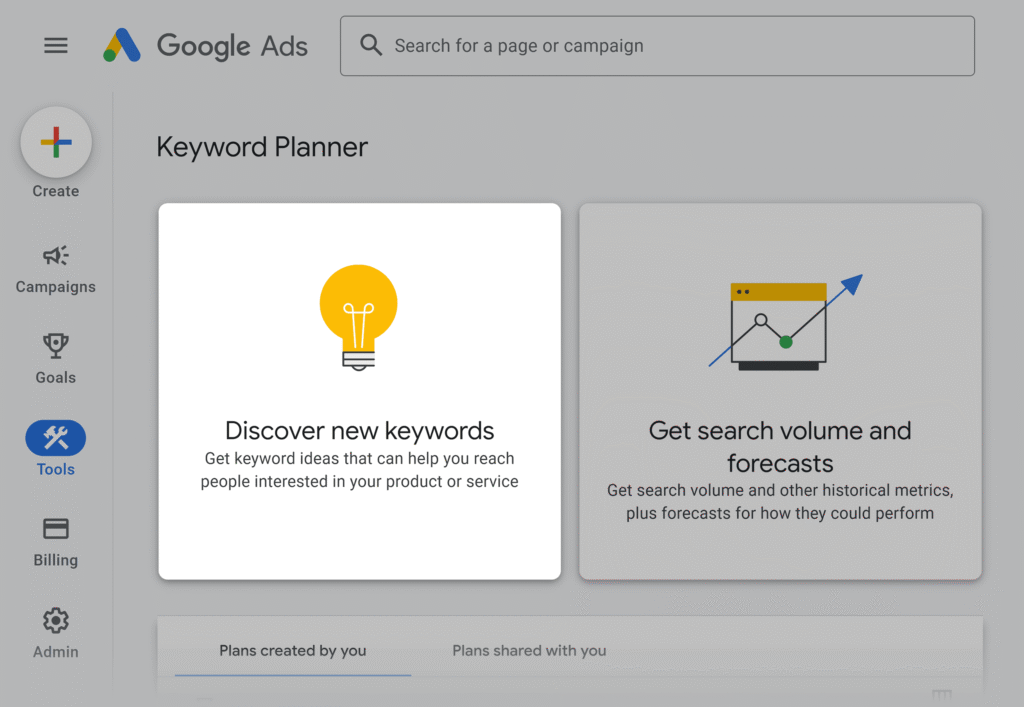
I know, I know—everyone mentions this one. But there’s a reason. Google Keyword Planner is directly from Google itself, so the data is as accurate as it gets.
Why I Love It: I get actual search volume data, competition levels, and bid estimates for free. When I type in a seed keyword like “home workout,” it gives me hundreds of related keyword ideas with exact monthly searches.
How I Use It: I start every keyword research project here. I enter 2-3 seed keywords, filter by location (India in my case), and download the entire list. Then I sort by search volume and competition to find sweet spots—keywords with decent searches but low competition.
The Catch: You technically need a Google Ads account, but I just created one and never funded it. I still get all the keyword data I need.
My Pro Tip: Look at the “Low” competition keywords with 1,000-10,000 monthly searches. These are goldmines that bigger sites ignore but are perfect for small blogs like mine.
2. Ubersuggest (My Secret Weapon)
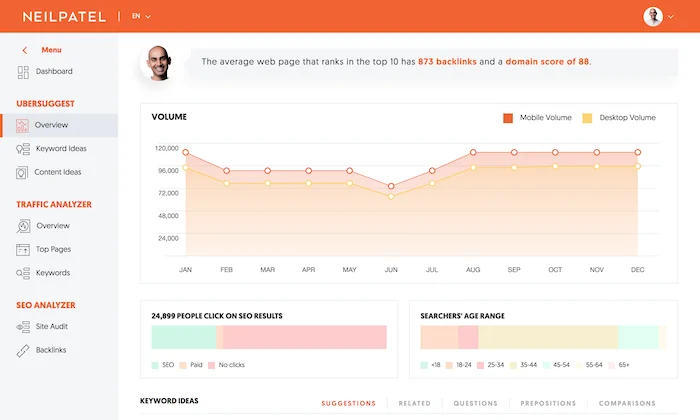
Neil Patel’s Ubersuggest was a game-changer for me. The free version gives you 3 searches per day, which honestly is enough when I’m focused.
Why I Use It: I get keyword difficulty scores, CPC data, content ideas, and even see which pages are ranking for my target keywords. It’s like having a paid tool for free.
How I Use It: I enter my keyword, check the difficulty score (I target anything under 40), and look at the “Content Ideas” tab to see what’s already ranking. This tells me exactly what I need to write to compete.
Real Example: I searched “budget travel tips India” and found it has 2,400 monthly searches with a difficulty of 28. I wrote a comprehensive guide, and it ranked on page 1 within three months.
The Limitation: Only 3 searches daily on the free plan, but I plan my research sessions and make every search count.
3. AnswerThePublic (For Understanding What People Actually Ask)
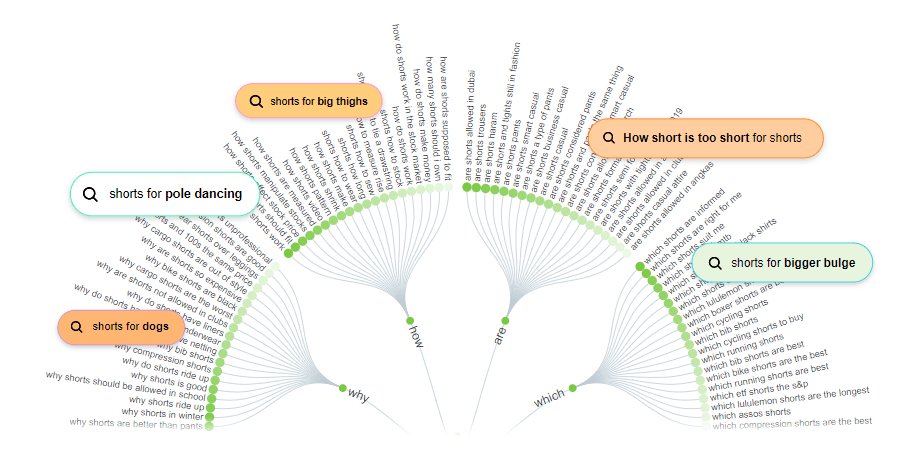
This tool changed how I think about keywords. Instead of just search terms, it shows me the actual questions people are asking.
Why It’s Amazing: When I enter “digital marketing,” it shows me hundreds of questions like “digital marketing how to start,” “digital marketing vs traditional marketing,” “digital marketing which course is best.”
How I Use It: I use these questions as H2 and H3 headings in my articles. People search in question format, so when my content directly answers their questions, it ranks better.
My Strategy: I pick 5-10 questions from AnswerThePublic and create detailed answers for each in my blog post. This structure naturally covers long-tail keywords I would’ve never thought of.
Free Limit: 2-3 searches per day without signing up, but that’s honestly enough for most research sessions.
4. Google Search Console (The Most Underrated Tool)
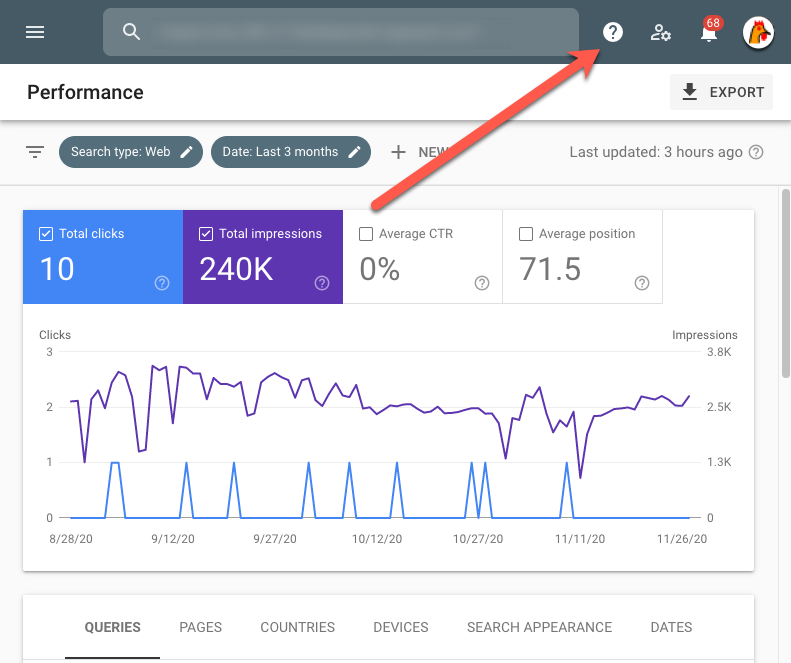
I ignored this for months like an idiot. Then I realized it was showing me exactly which keywords I’m already ranking for—keywords I didn’t even target!
Why I Kick Myself for Not Using It Earlier: It shows real data from my own website. I see which keywords bring traffic, what my average position is, and which pages are performing.
How I Use It: I check the “Performance” report weekly. I look for keywords where I’m ranking positions 8-20 and optimize those pages to push them to page 1. This is way easier than ranking for completely new keywords.
My Best Win: I found I was ranking #12 for “content writing tips for beginners.” I updated that article, added more value, improved formatting, and within two weeks I jumped to position #4. Traffic tripled.
The Power Move: Export keywords where you rank 11-30 and focus on optimizing those pages. Quick wins guaranteed.
5. Google Trends (For Timing and Geography)
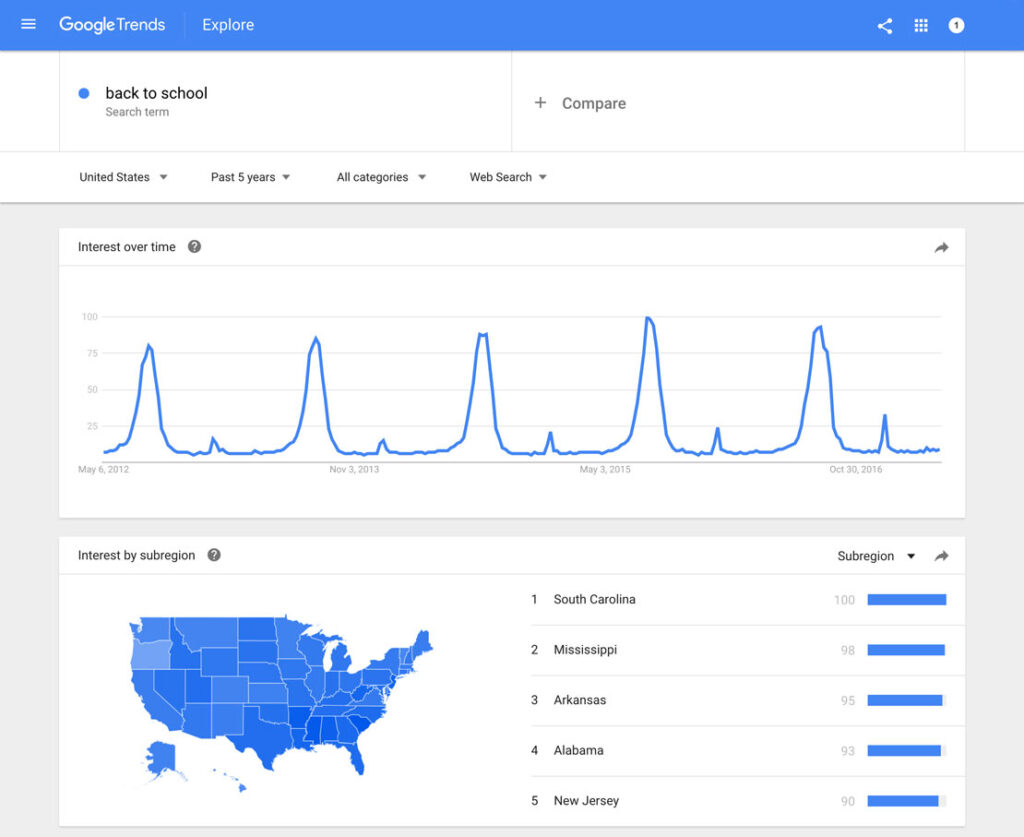
I use Google Trends to avoid writing about dying topics and to spot rising opportunities before they get competitive.
Why I Check It: Before investing time in content, I verify if the keyword is growing, stable, or declining. I also see which regions search for it most.
How I Use It: I compare similar keywords to see which one has better momentum. For example, I compared “Instagram marketing” vs “TikTok marketing” and saw TikTok searches exploding. I pivoted my content strategy accordingly.
Geographic Gold: I discovered that “freelance writing” gets huge searches in Bangalore and Mumbai but less in tier-2 cities. I adjusted my targeting and created location-specific content.
Zero Limitations: Completely free with unlimited searches. No excuses not to use this.
6. Also Asked (The Question Goldmine)
This free tool extracts all the “People Also Ask” questions from Google search results. It’s like AnswerThePublic but more focused and faster.
Why I Love It: I get the exact questions Google thinks are related to my keyword. These are proven questions people actually click on.
How I Use It: I copy these questions and make sure my article answers every single one. Google already told me these are relevant—I’d be stupid not to include them.
My Content Hack: I create a FAQ section at the end of my articles using these questions. It boosts engagement and helps with featured snippets.
7. Keyword Surfer (Chrome Extension That Changed My Life)
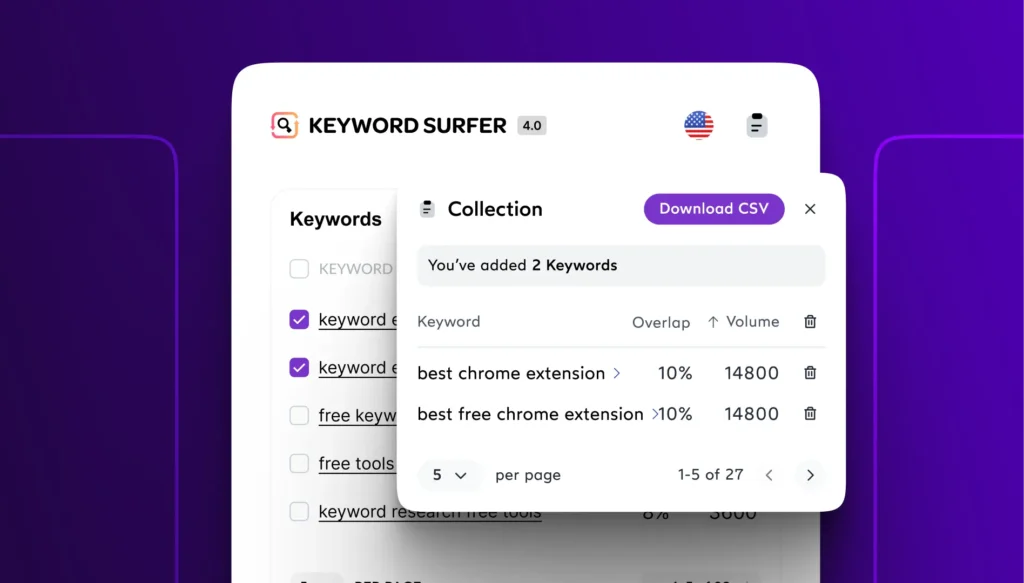
This free Chrome extension shows search volume directly in Google search results. I don’t even need to open another tool anymore.
Why It’s Brilliant: When I search anything on Google, I immediately see monthly search volume, CPC, and related keywords in the sidebar. Research while browsing normally.
How I Use It: I brainstorm keyword ideas by just Googling topics. The extension shows me which variations get more searches, so I optimize on the fly.
Real Scenario: I was researching “website speed optimization.” The extension showed me “website speed test tool” gets 3x more searches. I adjusted my focus immediately.
Installation: One click from Chrome Web Store and you’re set forever.
8. Reddit and Quora (Yes, Really!)

I’m serious. These platforms are keyword research goldmines that nobody talks about enough.
Why They Work: Real people asking real questions in natural language. This is how they search on Google too.
How I Use Them: I search my niche on Reddit, find popular threads, and note the questions people ask repeatedly. Those questions become my keywords and content topics.
Example: On a Reddit thread about freelancing in India, I saw 20+ people asking about payment methods. I created “How to Receive International Payments as an Indian Freelancer” and it ranks #3 on Google now.
The Insight: If people are discussing it on Reddit, they’re definitely searching for it on Google. Free market research.
9. Wikipedia Table of Contents
This sounds weird, but Wikipedia’s structure is keyword gold. I use it for comprehensive topic coverage.
My Process: I search my main topic on Wikipedia and look at the table of contents. Those subheadings are subtopics I should cover in my article.
Why It Works: Wikipedia is obsessively well-structured. Their sections represent complete topic coverage, which is what Google wants.
Real Use: I wrote about “social media marketing.” Wikipedia’s table of contents showed me 15 subtopics I hadn’t thought of. I covered them all, and my article became comprehensive enough to rank.
10. Your Own Brain + Google Autocomplete
Sometimes the simplest methods are best. I just start typing in Google and watch what autocompletes.
My Method: I type my keyword and add letters. “Digital marketing a,” “digital marketing b,” “digital marketing c”—Google suggests real searches.
Why This Works: Google’s autocomplete is based on actual search data. If it suggests something, people are searching for it.
Quick Research: In 5 minutes, I can generate 50+ keyword ideas just by playing with autocomplete. No tools needed.
How I Combine These Tools (My Actual Workflow)
I don’t use all tools for every keyword. Here’s my exact process:
Step 1: I start with Google Keyword Planner to get broad keyword ideas and search volumes.
Step 2: I pick 3-5 promising keywords and check them on Ubersuggest for difficulty scores.
Step 3: I use AnswerThePublic and Also Asked to find question-based long-tail variations.
Step 4: I check Google Trends to verify the topic isn’t dying.
Step 5: I browse Reddit and Quora for real questions people ask.
Step 6: I optimize while writing using Keyword Surfer to check related terms.
Step 7: After publishing, I monitor Google Search Console to find unexpected ranking opportunities.
Total time? Maybe 2 hours for thorough research on a new topic. That’s it.
My Honest Take on Free vs Paid Tools
I’ve tried paid tools during free trials. They’re powerful, but 90% of what they do, I can achieve with free tools and a bit more effort.
When I was starting out and had zero budget, free tools were perfect. Now that I earn from my blog, I still use mostly free tools because they work.
Save your money until you’re making money. Free tools won’t hold you back—lack of action will.
The Keyword Research Mindset I Learned
Tools are just tools. What matters more is understanding search intent, knowing your audience, and creating genuinely valuable content.
I’ve ranked articles using zero keyword research—just by understanding what my audience needed. And I’ve had articles with perfect keyword research that flopped because the content sucked.
Use these free tools to guide you, but don’t let them paralyze you. Sometimes the best keyword research is just asking “What would I search for if I had this problem?”
Start Your Keyword Research Today
You literally have no excuse. Every tool I mentioned is free and takes minutes to set up. Pick three tools from this list, spend one hour researching your niche, and find 10 good keywords.
Then write one amazing piece of content targeting your best keyword. That’s how I started, and that’s how you’ll start too.
Stop waiting for the perfect tool or the perfect keyword. Start with these free tools, take action, and adjust based on results. Your first page-1 ranking is closer than you think.